
DayByDay's reminders are built to be a kind tap on the shoulder, not a buzzing taskmaster. They're here to celebrate your wins and catch the things that are easy to forget — and you decide exactly how much you hear from us.
The Notification Center
Tap the 🔔 bell icon in the top-right of the Today tab to open your Notification Center. It's a calm, scrollable list of what's new — your daily read being ready, a milestone you just hit, a refill coming due. A little red badge on the bell tells you when something's waiting. You can dismiss items one at a time or tap Clear all.
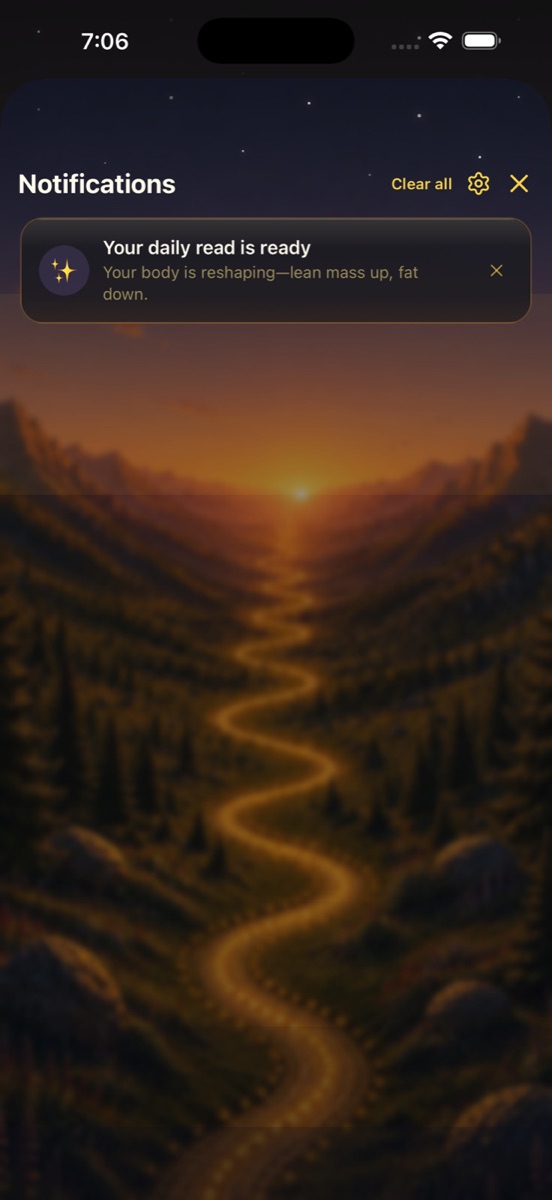
Notifications link straight to where they belong — tapping “Your daily read is ready” drops you into Dayo's read on the Insights tab.
What we'll nudge you about
- ✦Your daily read is ready — Dayo's fresh morning note, the moment it's written.
- ✦Daily log reminder — a gentle “remind me to log” if a check-in helps keep your momentum going.
- ✦Milestone celebrations — new lows, weight-loss targets, and streaks. You earned these. 🎉
- ✦Weekly summary — a once-a-week note when your weekly report is ready to read.
- ✦GLP-1 & refill reminders — a heads-up before and on the day a refill is due, plus prior-auth renewals, so the pharmacy never catches you off guard.
Every one is optional
Don't want daily nudges? Turn them off and keep just the milestone celebrations. Want refill reminders but nothing else? That works too. These are toggles, not obligations.
Choose how you're notified
Open Settings → Reminders & Delivery to set your channel and pick which categories you want. Under “How you're notified” you'll choose one of three:
- ✦Both — phone notifications and the in-app Notification Center.
- ✦Phone — push notifications on your device only.
- ✦In-app — quiet mode: nothing buzzes, but the bell still keeps your list.
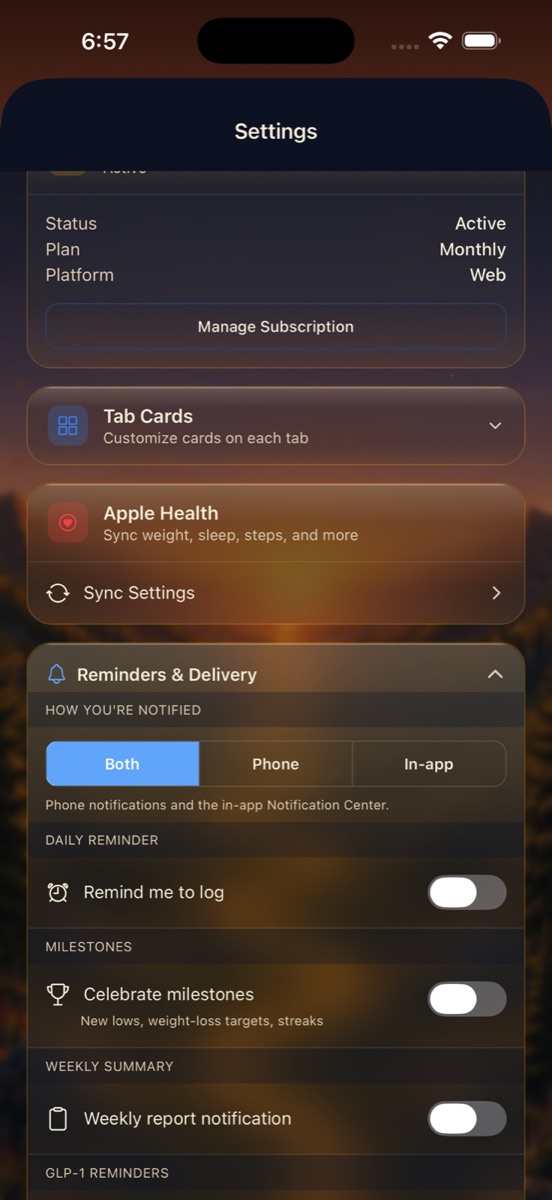
Below the channel picker, flip Daily Reminder, Milestones, Weekly Summary, and GLP-1 Reminders on or off independently. Mix and match until it feels right for you. See the Settings reference for everything else in here.
Refill reminders live with your pharmacy
The 3-days-before and day-of refill alerts (and prior-auth renewal reminders) are set up in You → Pharmacy, where your cadence and pickup dates live. See Pharmacy & refills.
I'm not getting phone notifications. Why?✦
First, make sure your channel is set to Both or Phone in Settings → Reminders & Delivery. Then check that DayByDay is allowed to send notifications in your device's system settings — iOS or Android can quietly block them. If you chose In-app, that's working as intended: check the bell on the Today tab.
Will DayByDay nag me?✦
Never. Reminders are opt-in, gentle, and easy to silence — and we lean toward celebrating your wins rather than pestering you about misses. You're in charge of every one.