

On a GLP-1, food gets complicated. Your appetite is smaller, so every bite has to count more — especially protein (to hold onto muscle while you lose) and fiber (to keep things comfortable). The Nutrition tab is built around exactly that. It's not about counting every calorie out of guilt; it's about making sure the food you do eat is doing its job.
Premium — Nutrition is part of DayByDay Plus
Food logging, the FatSecret search database, barcode scanning, photo-of-plate, and label scanning are all included in Plus ($9.99/mo or $99.99/yr) — a superset of Core. Manual entry stays free on every plan.
Protein and fiber, up top
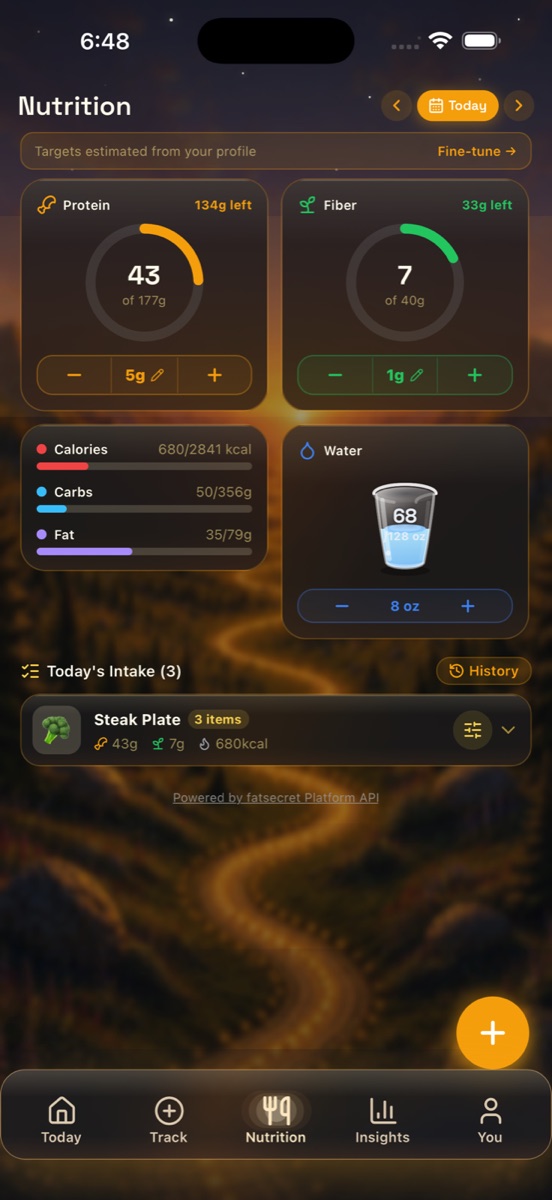
Two rings anchor the screen. Protein (for example, 43 of 177g — 134g left) and Fiber (for example, 7 of 40g — 33g left). They're first on purpose: hitting your protein helps preserve lean muscle as the weight comes off, and fiber helps with the GI side effects that GLP-1s can bring. Each ring has a quick stepper so you can nudge it up without opening a full form.
Below them sit the supporting numbers — a Calories / Carbs / Fat card with colored progress bars (e.g. 680 / 2,841 kcal), a Water card, and Today's Intake, the running list of what you've logged today.
Four ways to add food
Tap the floating + button and the Add Food sheet gives you a few ways in, depending on what's fastest in the moment:
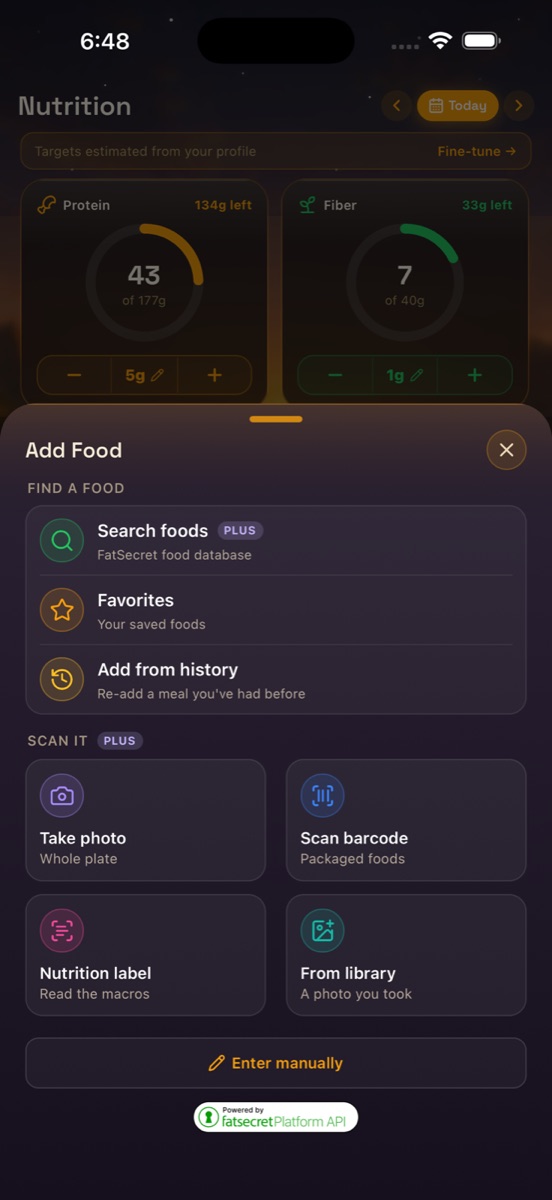
- ✦Search foods (Plus) — type a name and pull it straight from the FatSecret database, with macros attached.
- ✦Take photo (Plus) — snap your whole plate and let DayByDay estimate what's on it.
- ✦Scan barcode (Plus) — point your camera at any packaged food.
- ✦Nutrition label (Plus) — read the macros right off the label.
- ✦Enter manually (free on every plan) — type the numbers yourself, no subscription needed.
There are shortcuts, too: Favorites for your saved foods, and Add from history to re-add a meal you've had before.
Tap to add, long-press to adjust
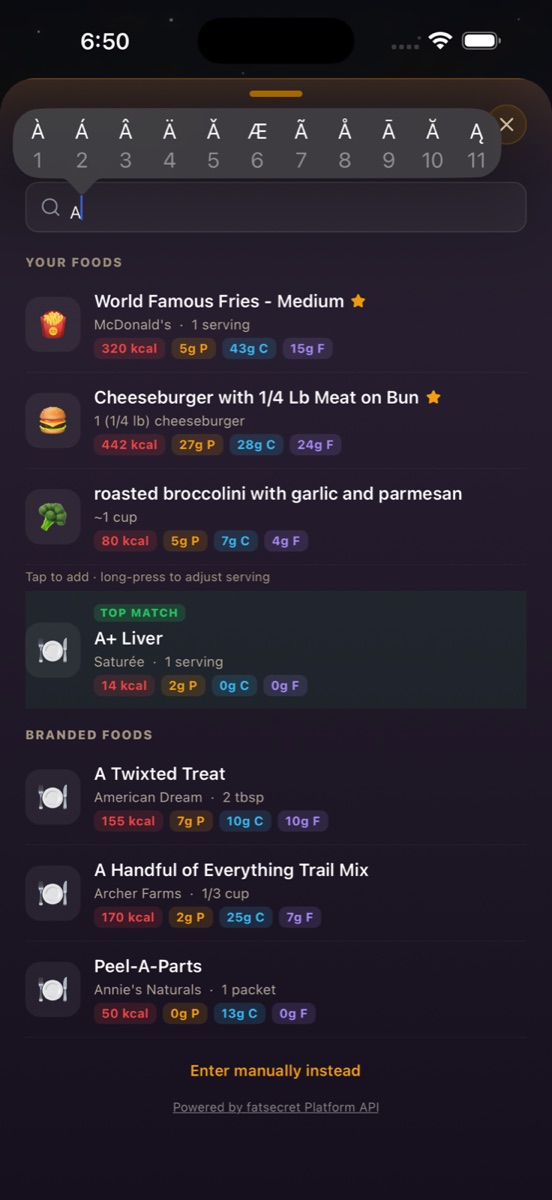
In search results, a single tap logs one serving as listed. If your portion was bigger or smaller, long-press the item to dial in the exact amount before it's saved.
Targets that fit you
Your protein, fiber, calorie, and macro targets are estimated from your profile — your height, weight, goal, and phase. They're a sensible starting point, not a rulebook. If yours should be different (because your dietitian or doctor set a number, say), tap Fine-tune → at the top of the screen to edit them.
Worth a word with your care team
Protein and fiber goals can be very personal on a GLP-1, especially if you're managing muscle loss or GI symptoms. Your logged intake exports cleanly (You → Reports & Export → Nutrition Log CSV), so it's easy to bring real numbers to a registered dietitian or your provider. See Reports & your doctor.
A tracker, not a meal plan
DayByDay estimates targets and totals to help you stay aware — it doesn't prescribe a diet or give medical nutrition advice. For anything tied to your medication, your labs, or a medical condition, your healthcare provider or dietitian is the right guide.