
Track is where the day gets recorded — and it's built to be quick. No menus to dig through, no forms to wrestle with. It's a single scrollable list of everything you might want to log, each row one tap from done. The whole idea is to make logging so fast it stops feeling like a chore.
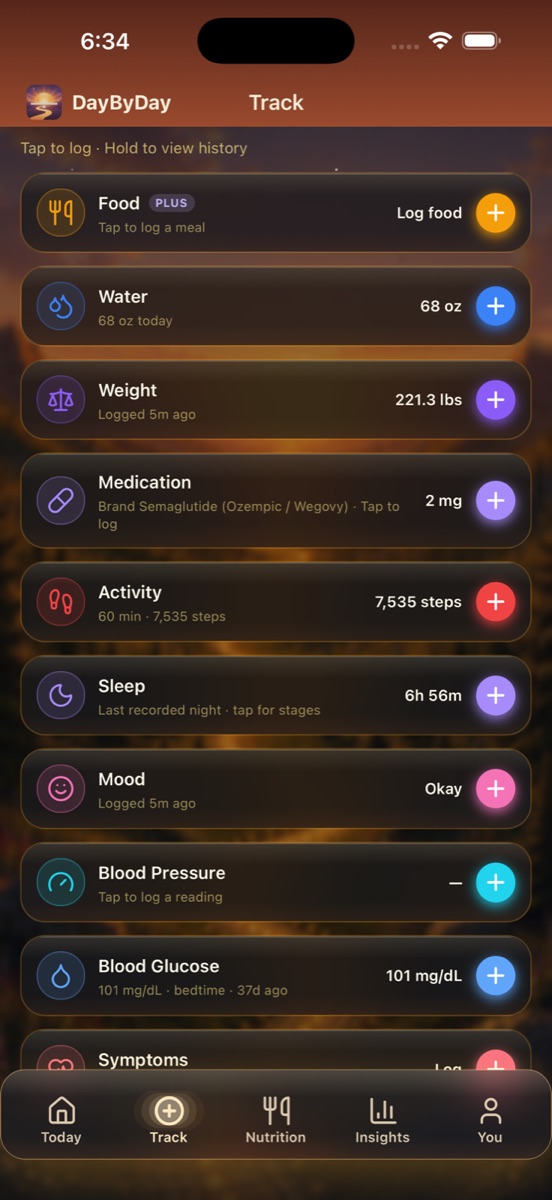
Everything you can log
Each row shows an icon, its name, when you last logged it, and the current value — then a colored + to add a new entry. Here's the full list:
- ✦Food (Plus) — log a meal and see your macros add up. This opens the full Nutrition logger. See The Nutrition tab.
- ✦Water — quick-add your hydration in seconds (e.g. 68 oz today).
- ✦Weight — your most important number, with optional body fat %.
- ✦Medication — log a GLP-1 dose with injection site and how it felt. Shows your medication and current dose, like Brand Semaglutide (Ozempic / Wegovy) · 2 mg.
- ✦Activity — steps and workouts (much of this syncs automatically from Apple Health).
- ✦Sleep — last night's rest, with stages and oxygen if you have a connected device.
- ✦Mood — a five-point check-in (Great / Good / Okay / Low / Rough) with an optional note.
- ✦Blood Pressure — log a reading whenever you take one.
- ✦Blood Glucose — readings in mg/dL with meal-time context (fasting, bedtime, and more).
- ✦Symptoms — note side effects like nausea or fatigue, so patterns become visible over time.
Tap to log — the bottom sheet
Tap any row (or its +) and a small sheet slides up from the bottom. You fill in a number or two, hit Save, and you're back to your day. It never takes you away to a different screen — log it and keep moving.
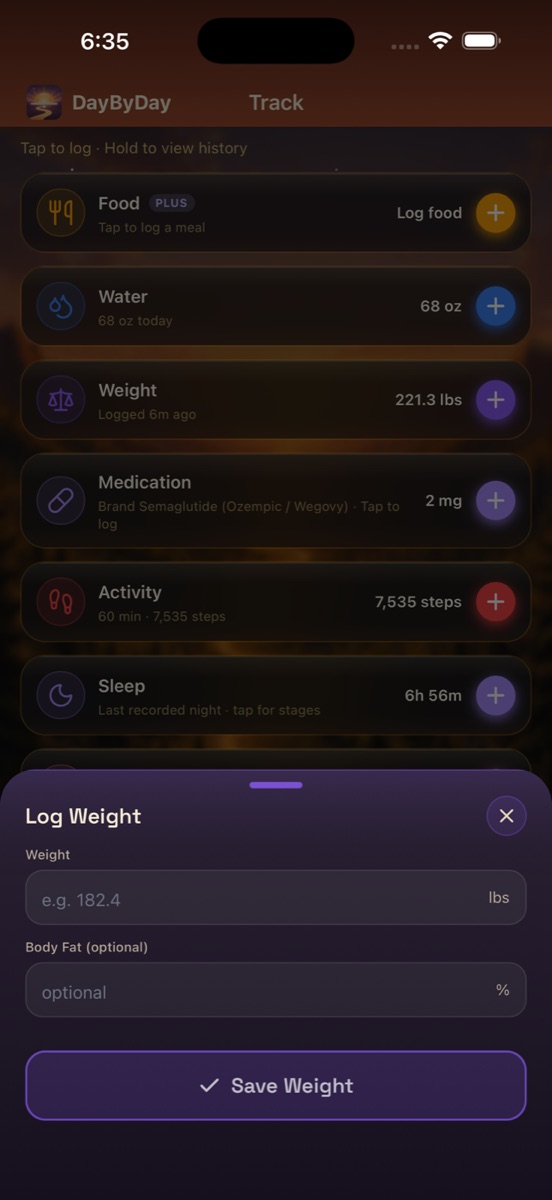
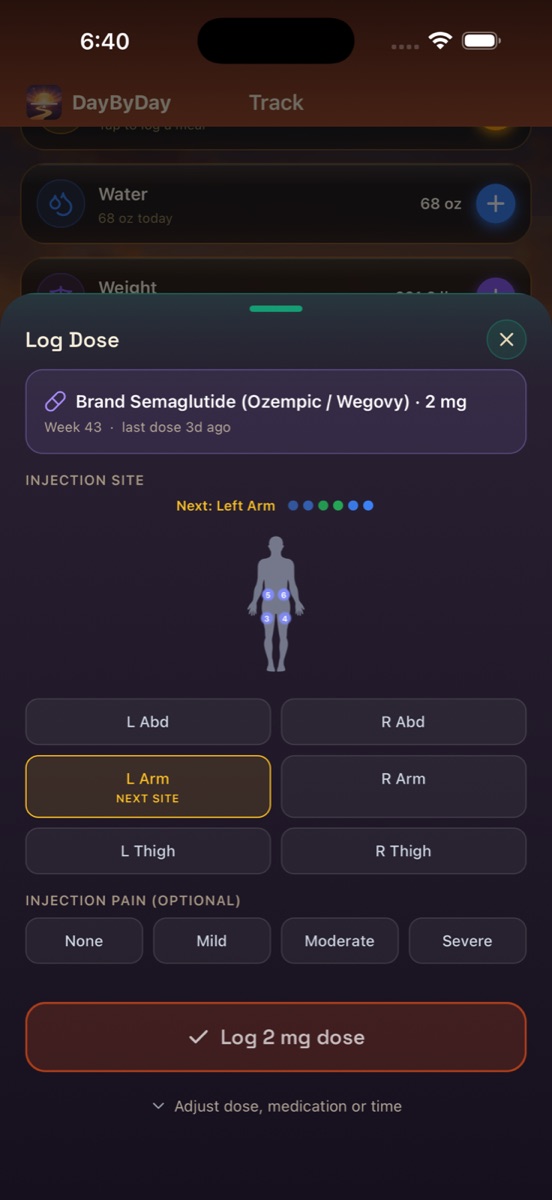
Each sheet is tailored to what you're logging. The Log Dose sheet, for instance, shows a little body diagram with your injection-site rotation (it even suggests the next site), an optional injection-pain scale, and the week you're on — a genuinely rich record without any extra effort.
Hold to view history
Here's the hidden trick worth knowing: a quick tap logs, but a long-press (hold) on any row opens its full history and detail screen — your weight trend, your dose timeline, your sleep stages. Tap to log, hold to look back.
It all flows to your doctor
Everything you log here — doses, symptoms, glucose, blood pressure, weight — is exactly the record your care team wants to see. You don't have to assemble it: DayByDay can compile it into a doctor-ready PDF, and every table can be exported to CSV. See Reports & your doctor.
Apple Health does some of it for you
On iPhone, steps, activity, sleep, and workouts can sync in automatically (You → Health Sync), so several of these rows stay up to date without you lifting a finger. Manual logging is always there for anything that wasn't captured.